
Read QR codes directly in Chrome
Drag around a code on a webpage, read an image, or make a code to share. A small Chrome tool, with processing on your device.
Codit QR ↗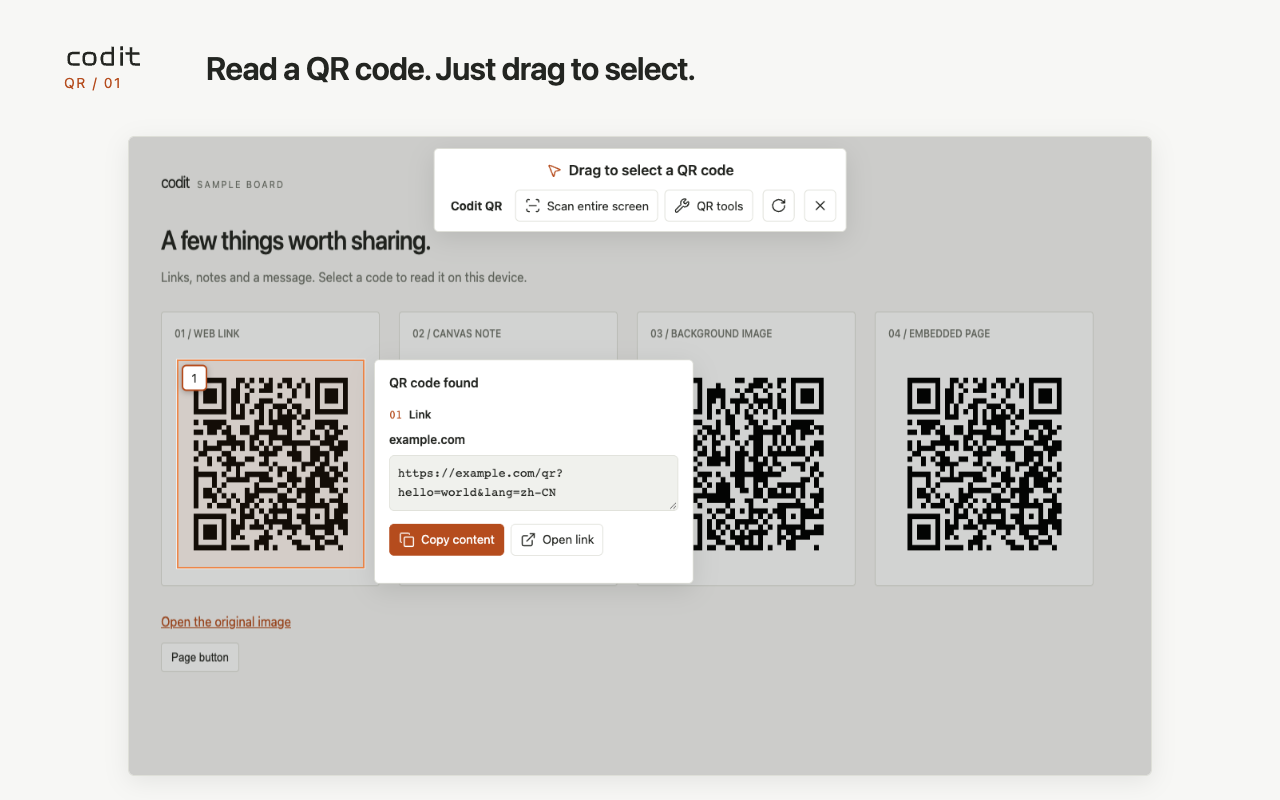
How do I scan a QR code on a webpage?
Click the extension icon or press Alt/Option+Shift+Q, then drag around the whole code. Copy its text or open an HTTP/HTTPS link. Scan entire screen reads codes in the current webpage view; the refresh icon captures an updated view.
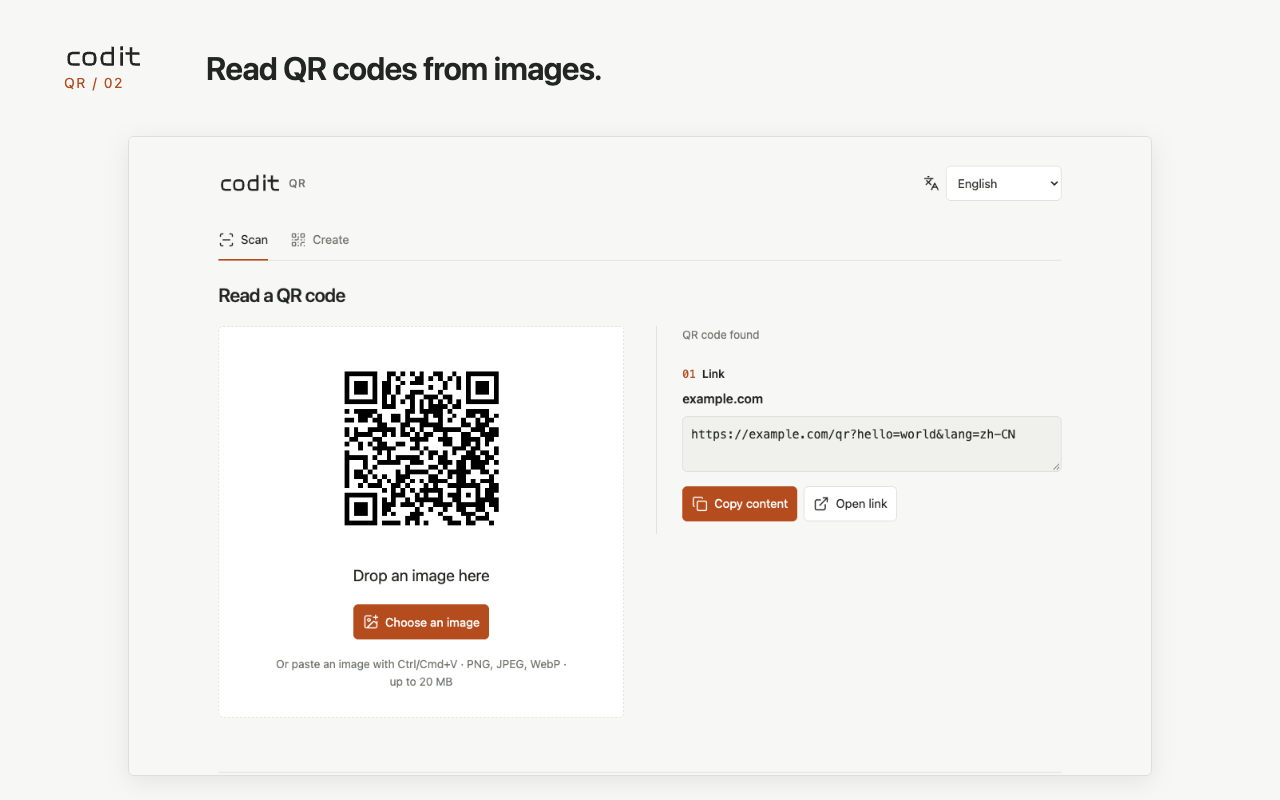
How do I read a QR code from an image?
Open QR tools and choose, drop or paste one PNG, JPEG or WebP image. You can also right-click a webpage image to read its original. Optional access is requested only for that image site; if fetching fails, return to webpage selection.
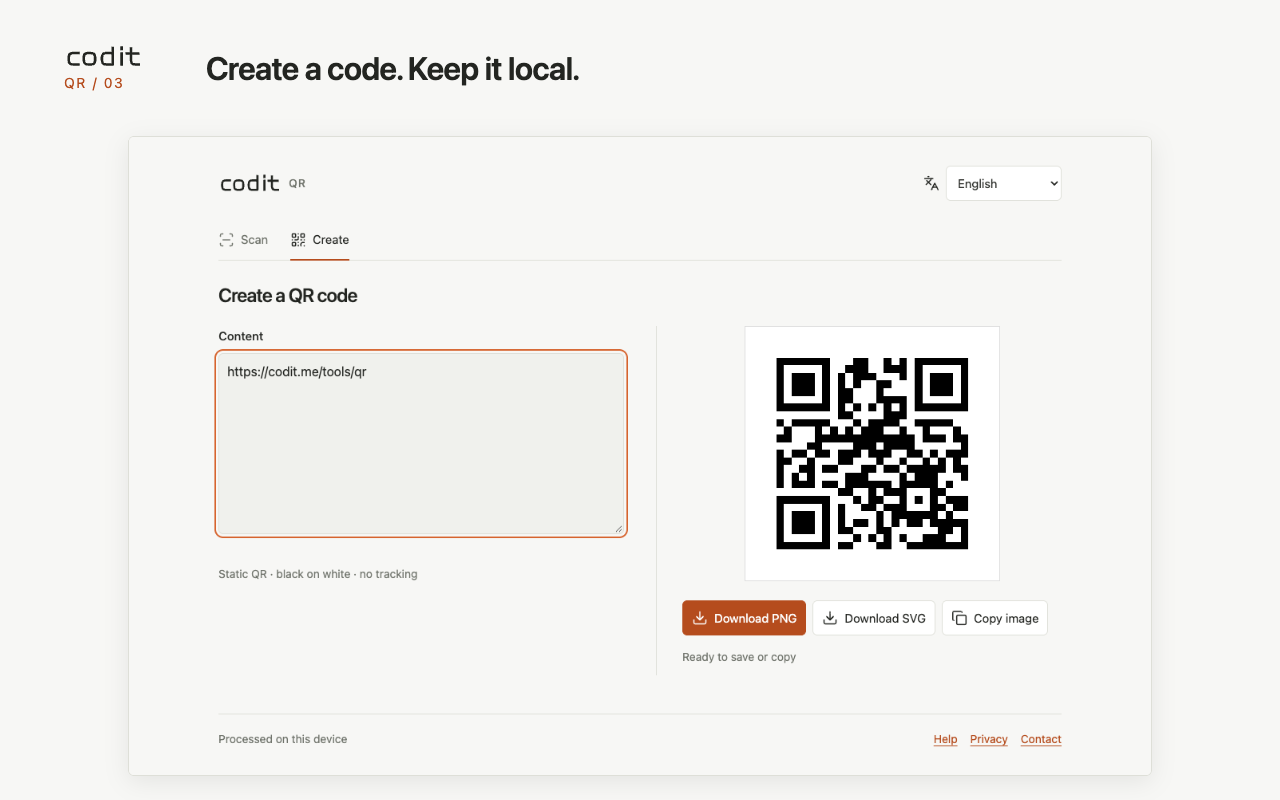
Can I generate a QR code offline?
Yes. In Create, enter text or a URL, then save PNG or SVG, or copy the PNG image. Encoding runs locally. There is no account, dynamic redirect service or saved history.
Drag a new area to replace a selection. Click empty space to clear results. Use the toolbar refresh button to capture the latest webpage view.
Choose a language in the QR tools header. Follow browser is the default. Your choice is remembered on this device.
Chrome internal pages cannot host selection. Blurry, tiny or obstructed codes may fail. Login-protected images may require webpage selection.